Once you have submitted a Curated List request through the request form, you can track, follow up or check on its status, right in the HomeDepot.ca Digital Promotions Portal.
Accessing Your Requests
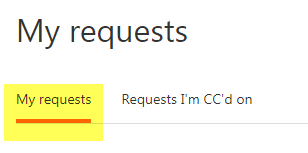
After signing in to your account, click on "My requests" from the top navigation bar.

"My requests" should be pre-selected on this page. If it isn't, click on it to select it and display the list of requests attached to your account.
Request Status
Your list of requests includes the subject, ID #, age (Created), time since last activity (Last activity), and current status. You can sort the list by the "Created" column, or the "Last activity" column.
Under the "Status" column, you can see what's happening with any of your submitted requests.
- Red labeled "Open" requests are under review by our Digital Promotions Team
- Green labeled "Awaiting Your Reply" requests signify that our Digital Promotions Team needs more information from you to solve the issue
- Grey labeled "Solved" requests have been resolved by our Digital Promotions Team
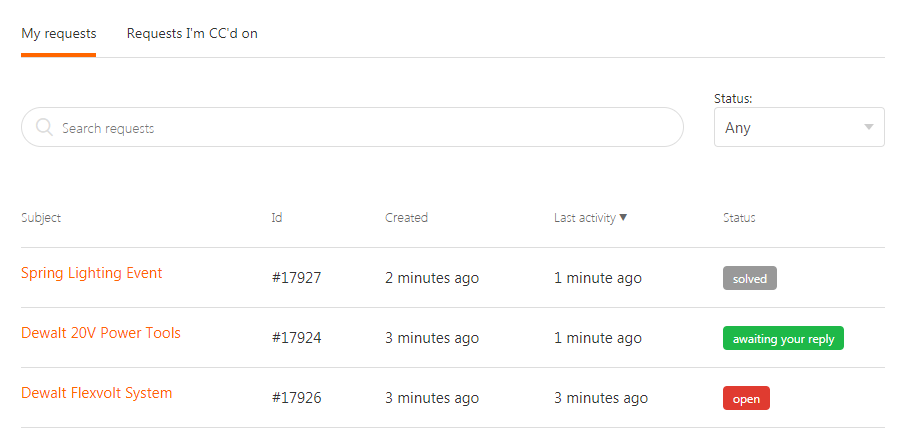
You can click on the subject of any request in the list to get more information, and to follow up on the request.
Following Up on Your Requests
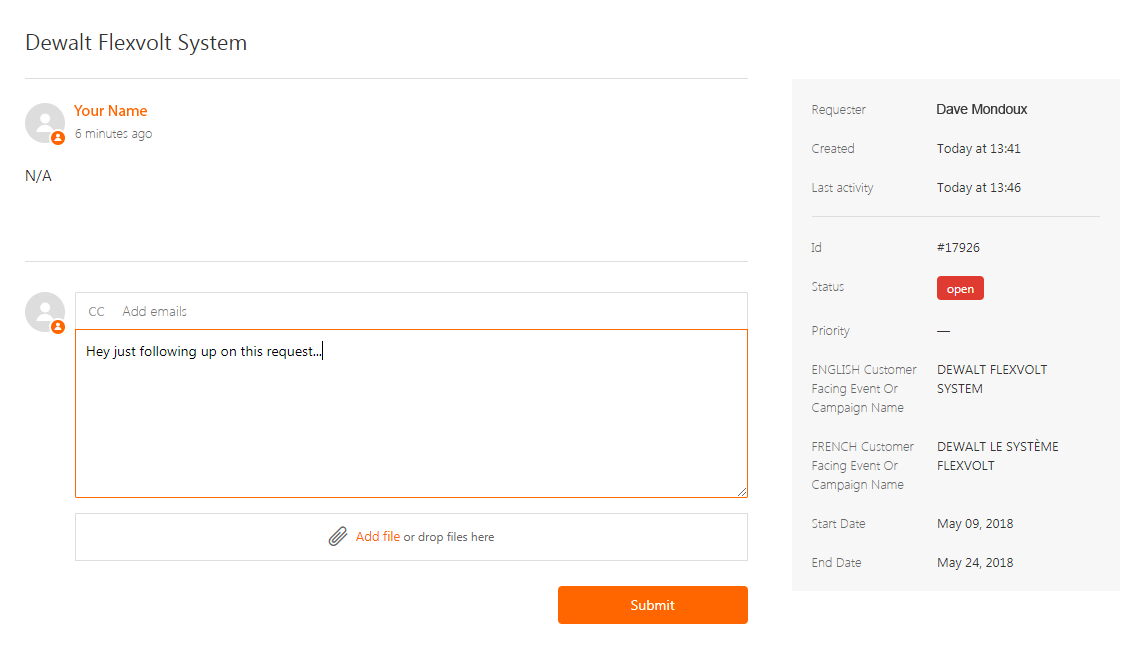
When you click on an individual request, you're taken to the request's page, where you can see its status, as well as all the information you provided when you submitted the request.
The main section of this page is used as a way for you and the Digital Promotions Team to communicate about your request. Comments and questions from the team will appear under your initial request, and you can use the text field and attachment tool to provide additional information.
If for some reason you need to cancel your request, please leave a comment letting the Digital Promotions Team to do so and they can mark your request as "Solved."
 Any time our Digital Promotions Team leaves a comment on a request you've made, or solves a request you've made, you will get an email notifying you of the update. If you receive an email with a comment from the Team, and the request remains unresolved, it's likely the team needs more information from you.
Comments
0 comments
Please sign in to leave a comment.